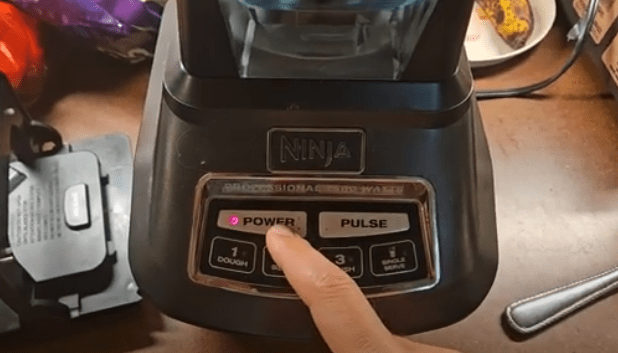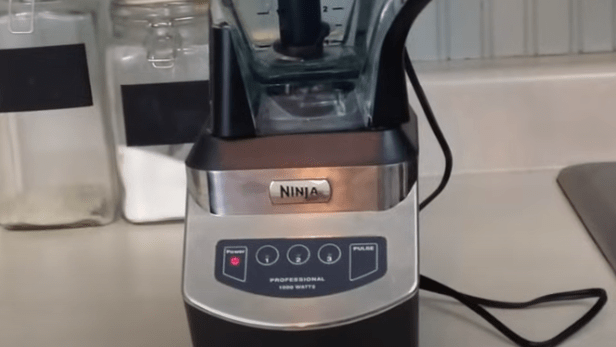
If your Ninja blender is flashing two lines, I know exactly how frustrating it can feel. You’re ready to make a smoothie or prep a recipe, and suddenly the blender refuses to turn on. Don’t worry—this is a common safety feature built into Ninja blenders, and it doesn’t necessarily mean your unit is broken.
From my experience and after troubleshooting multiple issues, I’ve found that most blinking issues are caused by simple assembly or safety switch problems. Let’s walk through everything you need to know and do to get your Ninja blender working again.
Table of Contents
- What Does Two Flashing Lines Mean on a Ninja Blender?
- Step-by Step Troubleshooting Guide When The Ninja Blender Flashes Two Lines
- Step 1: Check the Container and Lid Alignment
- What To Do
- Step 2: Remove and Re-seat the Container
- What To Do
- Step 3: Ensure the Lid Is Fully Locked
- What To Do
- Step 4: Check for an Overheated Motor
- What To Do
- Step 5: Clean the Internal Switches
- What To Do
- Step 6: Inspect the Power Cord (Older Models)
- What To Do
- Quick Decision Tree: What To Do When Your Ninja Blender Flashes Two Lines
- FAQs About Ninja Blender Flashing Two Lines
- Final Thoughts
What Does Two Flashing Lines Mean on a Ninja Blender?
A Ninja blender with two flashing lines usually indicates that the container isn’t seated properly on the base or the lid isn’t locked securely. The blender’s internal safety sensors detect these issues and prevent the motor from running.
Other possible causes include:
- An internal switch getting stuck
- The unit overheating after heavy use, activating a safety feature
Basically, your blender is trying to tell you: “I’m not ready to run yet—please check everything first.”
Step-by Step Troubleshooting Guide When The Ninja Blender Flashes Two Lines
Step 1: Check the Container and Lid Alignment
The first thing I do when my blender flashes two lines is inspect the container and lid alignment. Ninja blenders are picky about this, and even a slight misalignment will prevent them from turning on.
What To Do
- Look for the arrows on the container, lid, and base.
- Align the container arrow with the base arrow.
- Align the lid arrow with the handle arrow.
- Press down firmly on the handle until you hear a click.
Tip: A partially locked lid is one of the most common reasons for blinking lights.
Step 2: Remove and Re-seat the Container
Sometimes, even when the arrows appear aligned, something may be preventing the container from fully engaging the safety switch. In my experience, simply removing the container and placing it back carefully fixes a lot of problems.
What To Do
- Lift the container off the base.
- Check for obstructions or debris around the base and container.
- Place the container back on the base, ensuring it’s fully seated.
- Rotate the container slightly if needed and press down on the handle until it clicks.
This ensures that the blender recognizes the container is properly in place.
Step 3: Ensure the Lid Is Fully Locked
Even if the container is seated, the blender won’t start unless the lid is fully locked. I’ve had moments where I thought the lid was secure, but it wasn’t clicking correctly.
What To Do
- Rotate the lid until it’s fully seated on the container.
- Press down on the lid handle firmly until you hear a solid click.
- Double-check that the arrows on the lid and handle align with the container.
A partially locked lid prevents the safety switches from engaging, which can trigger the two-line flash.
Step 4: Check for an Overheated Motor
If you’ve been using the blender heavily, the flashing may indicate the motor has overheated. Ninja blenders have an automatic safety shut-off to prevent damage.
What To Do
- Unplug the blender.
- Wait about 15 minutes to let the motor cool down.
- After cooling, check assembly and try running it again.
This simple step often fixes flashing issues after multiple uses in a row.
Step 5: Clean the Internal Switches
For single-serve cups or small models, internal switches can get stuck, preventing the blender from starting. I’ve found cleaning around the switches usually resolves this.
What To Do
- Locate the small switches at the base of the handle and corresponding point on the lid.
- Gently clean around them with a dry cloth or a small brush.
- If a switch seems stuck, you can gently press it with a small tool—be very careful not to break it.
A stuck internal switch is less common but can cause persistent flashing if ignored.
Step 6: Inspect the Power Cord (Older Models)
For older Ninja blenders, the power cord can be a source of problems. Over time, wires may break or get cut, especially near the connection to the circuit board.
What To Do
- Unplug the blender.
- Inspect the cord for cuts or fraying.
- If you find a break, soldering the wire may restore function.
- If you’re not comfortable doing this, contact Ninja support or a qualified technician.
Modern models rarely have this issue, but it’s worth checking for older units.
Quick Decision Tree: What To Do When Your Ninja Blender Flashes Two Lines
Here’s a fast way to troubleshoot:
- Are the container and lid arrows aligned?
- No → Fix alignment and press handle down until it clicks
- Yes → Next step
- No → Fix alignment and press handle down until it clicks
- Is the lid fully locked?
- No → Rotate and lock the lid firmly
- Yes → Next step
- No → Rotate and lock the lid firmly
- Is the container fully seated on the base?
- No → Remove and reseat it
- Yes → Next step
- No → Remove and reseat it
- Has the blender been used heavily?
- Yes → Unplug and let it cool 15 minutes
- No → Next step
- Yes → Unplug and let it cool 15 minutes
- Are internal switches stuck?
- Yes → Clean and gently press switches
- No → Next step
- Yes → Clean and gently press switches
- Is the power cord damaged?
- Yes → Repair or replace
- No → Contact Ninja support
- Yes → Repair or replace
FAQs About Ninja Blender Flashing Two Lines
Q: Can the blender start if the lid isn’t fully locked?
A: No. The lid must click into place to engage the internal safety switches.
Q: How long should I wait for an overheated motor?
A: Typically 15 minutes is enough for the motor to cool down and reset.
Q: What if my blender still flashes after checking everything?
A: It may be a defective unit. Contact Ninja support or return/exchange it.
Q: Can I fix a stuck internal switch myself?
A: Yes, gently clean and press the switch, but be careful not to break it.
Q: Does flashing always mean a defective blender?
A: Not usually. Most of the time, flashing is due to alignment, lid, or container issues.
Final Thoughts
A Ninja blender flashing two lines can feel stressful, but in most cases, it’s easy to fix. From my experience, the majority of issues come down to container seating, lid locking, or handle alignment. If you follow the steps above—checking the container, lid, internal switches, motor, and cord—you can usually get your blender back to work in minutes.
If none of these steps solve the problem, it’s likely a defective unit, and contacting Ninja support for a replacement is the safest choice.
By systematically troubleshooting and understanding why the blender flashes two lines, you can avoid frustration, save time, and get back to making smoothies, sauces, and soups without worry.
Next Reads:

I’m Sloane Everly, the heart and soul behind TheTidyPorch.com, where I pour my love for home decor, interior styling, and curated living into everything I do.
I’m all about turning houses into homes that feel like you—full of warmth, character, and a little bit of magic.
My style? Think cozy charm with a splash of bold, always designed to make your space feel like a hug you never want to leave.